
We can use ‘woocommerce_before_shop_loop_item’ action hook to remove/hide add to cart button from all the products, which is not good in all cases.
add_action( 'woocommerce_before_shop_loop_item', 'ratcw_remove_archive_add_to_cart_button' );
function ratcw_remove_archive_add_to_cart_button(){
	remove_action( 'woocommerce_after_shop_loop_item', 'woocommerce_template_loop_add_to_cart', 10 );
}
The above function will remove/hide Add to Cart for all the products. So I think it will not be good. Almost every store owner wants to remove/hide Add to Cart for a specific product. To achieve this goal, you need to add a custom meta field with the products. You can accomplish this using a plugin( ACF or other plugins ) or custom code. I can show you here using the custom code:
add_action( 'woocommerce_product_options_general_product_data', 'ratcw_woocommerce_product_custom_fields' );
function ratcw_woocommerce_product_custom_fields () {
global $woocommerce, $post;
echo '<div class=" product_custom_field ">';
woocommerce_wp_checkbox( array(
'id' => 'ratcw_hide_add_to_cart',
'value' => esc_attr( get_post_meta( get_the_ID(), 'ratcw_hide_add_to_cart', true ) ),
'label' => esc_html__( 'Hide/Remove add to cart :', 'text-domain' ),
'desc_tip' => true,
'description' => esc_attr__( 'Hide/Remove add to cart in frontend', 'text-domain' ),
) );
echo '</div>';
} The add/edit product screen interface will look like the below screenshot.

So to remove/Hide Add to Cart from the shop, category and tags pages, you need to add the code like below:
add_action( 'woocommerce_before_shop_loop_item', 'ratcw_remove_archive_add_to_cart_button' );
function ratcw_remove_archive_add_to_cart_button(){
	global  $product ;
    $product_id = $product->get_id();
	$ratcw_hide_add_to_cart = get_post_meta( $product_id, 'ratcw_hide_add_to_cart', true );
	if ( isset( $ratcw_hide_add_to_cart ) && $ratcw_hide_add_to_cart === 'yes' ) {
		remove_action( 'woocommerce_after_shop_loop_item', 'woocommerce_template_loop_add_to_cart', 10 );
	}else{
		add_action( 'woocommerce_after_shop_loop_item', 'woocommerce_template_loop_add_to_cart', 10 );
	}
}
To remove/hide Add to Cart button from the product details page, you need to add the below code:
add_action( 'woocommerce_single_product_summary', 'ratcw_remove_add_to_cart_button_from_single_product' );
function ratcw_remove_add_to_cart_button_from_single_product(){
	global  $product ;
    $product_id = $product->get_id();
	$ratcw_hide_add_to_cart = get_post_meta( $product_id, 'ratcw_hide_add_to_cart', true );
	if ( isset( $ratcw_hide_add_to_cart ) && $ratcw_hide_add_to_cart === 'yes' ) {
		remove_action( 'woocommerce_single_product_summary', 'woocommerce_template_single_add_to_cart', 30 );
	}
}Remove/Hide Add to Cart button using Plugin:
If you want to hide/remove the product Add to Cart button from the product list page or product details page using any WordPress plugin, please first think about the plugin name Remove Add to Cart Button for WooCommerce.Free features
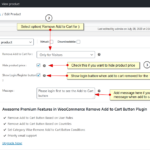
- Remove Add to Cart button for all
- Remove Add to Cart button only for the visitors
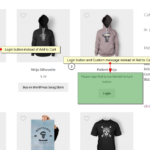
- Show login button when Add to Cart button is removed for the visitors
- Set login URL ( if you not set any URL here then it will take you to default login/register page URL ) from plugin settings tab
- Change login button label from settings tab
- Have option to set message when Add to Cart is hidden
- Hide product price
- Easy to use
- Translation ready
Premium features
- All Free Features
- Remove Add to Cart Button Based on User Rules
- Remove Add to Cart Button Based on Countries
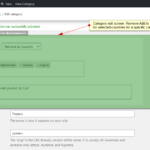
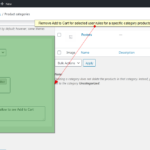
- Set Category Wise Remove Add to Cart Button Conditions( means you can apply remove Add to Cart conditions for the all products in a category )
- Priority Email Support
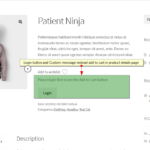
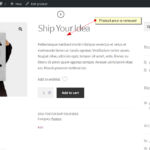
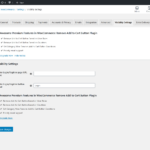
Download Remove Add to Cart Button for WooCommerce Plugin from the WordPress directory.
Click Here
So… where is the premium version…?
Here is the link to WordPress ORG : https://wordpress.org/plugins/remove-add-to-cart-button-for-woocommerce.
After installing the free version, you can see a notice to Upgrade Premium in your WordPress Dashboard area.
Or you can checkout the premium version directly from here : https://checkout.freemius.com/mode/dialog/plugin/6639/plan/10817/.
Hi
I just downloaded the Remove Add to Cart Button for WooCommerce plugin and its amazing
But there is a problem with the (Hide Product Price) feature
It doesnt hide the price of Variable Products
I would be really thankful if you fix this in the next update
Thanks for your feedback. I can take a look on this for the next version.